


Imagine this scenario: your ecommerce store just went viral. Your marketing campaign hit the mark, and suddenly, hundreds of orders are pouring in by the minute. It is an online retailer’s dream come true—until the realization sets in. How will your team manually process, pack, and ship all these orders without making mistakes? If your business relies on spreadsheets, sticky notes, and manual data entry, that dream will quickly morph into a logistical nightmare. Choose the best dropshipping order management.
This is precisely where Automated Order Processing for Ecommerce Order Management steps in to save the day.
In today’s fast-paced digital marketplace, customers expect lightning-fast shipping, flawless accuracy, and real-time updates. Meeting these expectations manually is not just difficult; it is nearly impossible at scale. To survive and thrive, ecommerce businesses must embrace intelligent technology.
In this comprehensive guide, we are going to dive deep into the world of automation. We will explore the vital mechanics of modern systems, outline the best tools available on the market today, and provide you with actionable strategies to transform your fulfillment operations from a stressful bottleneck into a streamlined growth engine.
What is Automated Order Processing?
At its core, automated order processing is the use of specialized software to handle the entire lifecycle of a customer’s purchase with minimal human intervention. From the exact moment a customer clicks “Buy Now” on your website to the moment the package arrives on their doorstep, the software orchestrates the journey.
Traditionally, a human worker would need to see the order, verify the payment, check the inventory, print a shipping label, update the store, and email the customer. Automation hands these repetitive, time-consuming tasks over to an intelligent order management system (OMS).
The Shift from Manual to Automated Operations
Why make the leap? The primary catalyst for most growing brands is the urgent need for eliminating manual data entry errors. When humans copy and paste customer addresses or update stock levels across different spreadsheets, mistakes are inevitable. A mistyped zip code means a lost package. A forgotten inventory update means selling an out-of-stock item, leading to a frustrated customer and a damaged brand reputation.
By implementing robust order processing software, you create a closed-loop system where data flows seamlessly and accurately from your storefront to your warehouse.
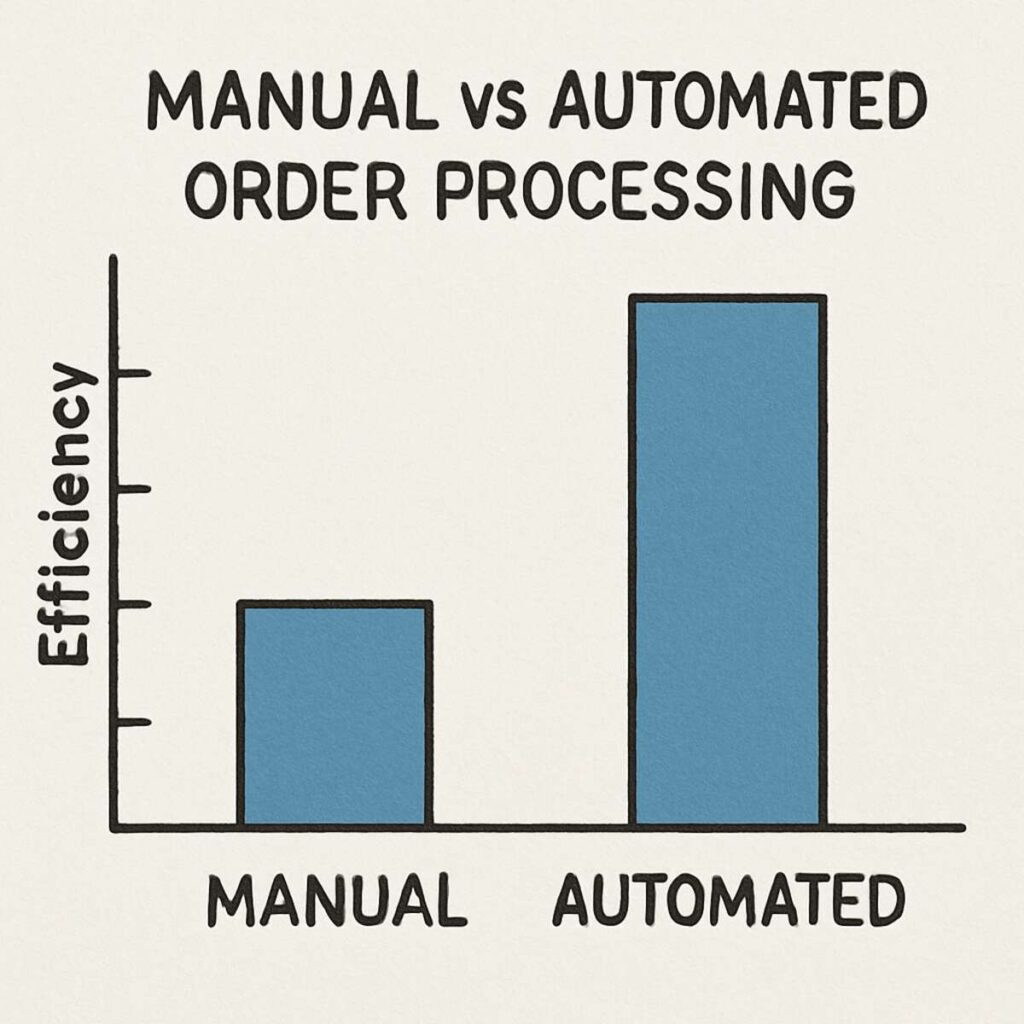
The True Cost of Manual Processing
Before diving into the tools and features, it is crucial to understand what you are losing by clinging to manual processes.
- Wasted Labor Costs: Paying employees to do tasks that a computer can do in milliseconds drains your profit margins.
- Slow Fulfillment Times: Customers accustomed to Amazon Prime delivery speeds will abandon brands that take three days just to process an order.
- Inventory Discrepancies: Without automation, overselling across multiple platforms is a constant threat.
- Employee Burnout: Subjecting your team to tedious, repetitive data entry leads to low morale and high turnover.
Essential Ecommerce Order Management Software Features
When you begin evaluating different tools, you will quickly find that the market is flooded with options. However, not all systems are created equal. To build a future-proof tech stack, you need to look for specific ecommerce order management software features that align with modern retail demands.
Here are the critical capabilities you must look for:
1. Multi-Channel Inventory Synchronization
If you sell on Shopify, Amazon, eBay, and a brick-and-mortar store, keeping your stock levels accurate across all of them is a massive challenge. Multi-channel inventory synchronization acts as the central brain. When someone buys your last blue t-shirt on Amazon, the software instantly updates Shopify and eBay to show that the item is out of stock, preventing embarrassing double-sales.
2. Centralized Multi-Store Dashboard
Logging into five different platforms to check your daily sales is highly inefficient. A premium OMS provides a centralized multi-store dashboard where you can view aggregate data, track order statuses, and monitor your overall business health from a single screen. This unified view is essential for making rapid, data-driven decisions.
3. Real-Time Inventory Tracking Systems
Batch updating your inventory once a day is no longer sufficient. You need real-time inventory tracking systems that update the millisecond a transaction occurs. This real-time visibility allows you to set low-stock alerts, trigger automatic purchase orders to your suppliers, and maintain leaner, more cost-effective inventory levels.
4. Automated Invoice and Packing Slip Generation
Your warehouse staff should never have to manually type out a packing slip. Top-tier software features automated invoice and packing slip generation. As soon as an order is verified, the system generates the necessary documentation—customized with your branding—and sends it straight to the warehouse printers.
5. ERP Integration for Online Retailers
As your business scales into the enterprise realm, your OMS needs to communicate with your broader financial and resource planning tools. Deep ERP integration for online retailers ensures that your sales data flows seamlessly into systems like NetSuite, SAP, or Microsoft Dynamics, keeping your accounting and supply chain forecasting perfectly aligned.
The Logistics of Automation: From Click to Ship
Understanding the software features is only half the battle; applying them to your physical operations is where the magic happens. The goal is automating order fulfillment workflows so that your physical products move as efficiently as your digital data.
Cloud-Based Warehouse Management Integration
Your order management system must speak the same language as your warehouse. Cloud-based warehouse management integration (WMS integration) connects your digital storefront directly to the scanners and tablets used by your warehouse staff. When an order drops, it is instantly beamed to a worker’s device, guiding them through the warehouse via the most efficient route.
Optimizing Pick and Pack Efficiency
A major bottleneck in ecommerce logistics is the time it takes to physically gather items. By utilizing your automated software to group orders intelligently (e.g., batch picking, wave picking, or zone picking), you are significantly optimizing pick and pack efficiency. The system tells the picker exactly where to go, what to scan, and which box size to use, drastically reducing fulfillment times and packaging costs.
Automated Shipping Carrier Selection
Shipping costs can eat up your margins if you aren’t careful. Intelligent order processing tools feature automated shipping carrier selection. Based on predefined rules—such as the package’s weight, dimensions, destination, and the customer’s chosen delivery speed—the system automatically shops across carriers (UPS, FedEx, USPS, DHL) to select the most cost-effective and reliable shipping method for that specific box.
Mastering Advanced Logistics Strategies
As your brand grows, your logistical needs will become more complex. You will likely expand your footprint, sell across more channels, and require more sophisticated routing.
Crafting an Omnichannel Retail Logistics Strategy
Today’s consumer doesn’t think in terms of “channels”; they just think of your brand. They might discover a product on Instagram, buy it on your website, and want to return it at your pop-up shop. Supporting this requires a cohesive omnichannel retail logistics strategy. Automation bridges the gap between your digital and physical touchpoints, ensuring a unified customer experience regardless of how or where they interact with your business.
The Benefits of Distributed Order Management
If you ship nationwide or globally, fulfilling every order from a single warehouse is slow and expensive. This is where Distributed Order Management (DOM) comes into play. DOM intelligently routes orders to the fulfillment center, retail store, or dropshipper that is geographically closest to the customer.
The benefits of distributed order management are profound:
- Lower Shipping Costs: Shorter transit distances mean cheaper shipping zones.
- Faster Delivery: Customers get their orders in 1-2 days instead of 5-7 days.
- Risk Mitigation: If one warehouse is shut down due to a storm, the DOM automatically routes orders to an alternative facility.
Top Tools for Automated Order Management
Now that we understand the methodology, let’s explore the best tools available on the market designed to supercharge your automated order processing.
1. Linnworks
Linnworks is an absolute powerhouse for mid-to-large-sized ecommerce brands looking to scale heavily across borders and channels.
- Key Features: It excels at deep multi-channel inventory synchronization, connecting seamlessly to Amazon, eBay, Shopify, Walmart, and dozens of regional marketplaces. It also features a highly customizable rules engine for automating order fulfillment workflows.
- Pros: Incredible global marketplace integrations; robust reporting; highly customizable workflow rules.
- Cons: The learning curve can be steep for beginners; pricing is geared toward established businesses.
- Best For: Fast-growing businesses focusing heavily on multi-channel and international expansion.
2. Extensiv (Formerly Skubana)
Extensiv is built for complex, high-volume ecommerce sellers. If you use multiple warehouses, dropshippers, and 3PLs (Third-Party Logistics), this tool is designed to bring order to the chaos.
- Key Features: It shines in its ability to handle distributed inventory. Extensiv acts as the central nervous system for your brand, offering unparalleled real-time inventory tracking systems and intelligent order routing based on real-time stock and shipping rates.
- Pros: Advanced analytics and profitability tracking down to the SKU level; exceptional DOM capabilities.
- Cons: Can be overkill for smaller operations; setup requires dedicated onboarding time.
- Best For: Enterprise-level merchants relying on a mix of their own warehouses, 3PLs, and dropshipping.
3. Brightpearl
Brightpearl is not just an order management system; it is a Retail Operating System designed specifically for omnichannel merchants.
- Key Features: It offers native ERP integration for online retailers, managing everything from order processing and inventory to accounting, CRM, and supplier management. It boasts a brilliant centralized multi-store dashboard that provides a real-time snapshot of your entire financial operation.
- Pros: Includes built-in accounting (eliminating the need for third-party syncs like QuickBooks); incredibly fast to implement compared to traditional ERPs.
- Cons: The upfront cost is an investment; it is less flexible if you only want order management without the accounting suite.
- Best For: Wholesalers and omnichannel brands grossing over $1M annually who need to unify their financials and operations.
4. Veeqo (by Amazon)
Veeqo is a fantastic inventory and fulfillment tool that was recently acquired by Amazon—and best of all, the core software is now completely free to use.
- Key Features: It excels at optimizing pick and pack efficiency with its native mobile app, transforming your smartphone into a warehouse scanner. Veeqo also handles automated shipping carrier selection by providing deeply discounted rates across USPS, UPS, and FedEx.
- Pros: Free to use (no monthly software fees); excellent interface; strong shipping discounts.
- Cons: While great for standard retail, it lacks some of the hyper-advanced routing rules found in premium ERPs.
- Best For: Small to mid-sized businesses looking for a highly capable, budget-friendly entry point into serious automation.
5. ShipStation
While heavily focused on the shipping aspect, ShipStation is a ubiquitous tool in the ecommerce space that manages the final leg of the order journey with incredible efficiency.
- Key Features: It seamlessly pulls in orders from almost any shopping cart and automates the creation of labels. It features robust automated invoice and packing slip generation and allows you to set up visual automation rules for package weights and carrier preferences.
- Pros: Unmatched integrations with shopping carts and carriers; highly intuitive interface; very affordable.
- Cons: Not a full inventory management system; you will still need an OMS or ERP to manage purchasing and complex warehousing.
- Best For: Brands of all sizes looking specifically to automate their shipping label creation and carrier assignments.
6. Cin7 Core (Formerly Dear Systems)
Cin7 Core is a highly robust cloud-based system that blurs the line between a traditional OMS and a full-scale ERP.
- Key Features: It offers deep, granular tracking for manufacturing and kitting, making it ideal for brands that assemble products in-house. It features excellent cloud-based warehouse management integration and flawless syncing with B2B wholesale portals.
- Pros: Incredible for light manufacturing and complex assemblies (bill of materials); strong B2B features.
- Cons: Can be overwhelming if you just sell standard finished goods; support response times can occasionally lag during peak periods.
- Best For: Brands that manufacture their own products, bundle heavily, or manage extensive B2B wholesale accounts alongside their D2C store.
Peak Season Preparation: Handling the Rush
Every ecommerce merchant knows the dread and excitement of Black Friday, Cyber Monday, and the holiday rush. If your systems are not automated, your business will break under the pressure.
Here are crucial strategies for scaling ecommerce operations for peak season using your automated tools:
1. Stress-Test Your Systems Early
Do not wait until November to see if your software can handle high transaction volumes. Run mock flash sales in September to ensure your real-time inventory tracking systems sync fast enough to prevent overselling when 500 people try to buy the same item simultaneously.
2. Pre-Set Your Shipping Rules
During peak season, warehouse workers do not have time to guess box sizes. Pre-configure your system’s automated shipping carrier selection to automatically assign the cheapest priority shipping for all orders over $100, and standard shipping for the rest. Let the system do the thinking so the workers can just pack.
3. Automate Customer Communication
Customer service inquiries skyrocket during the holidays (“Where is my order?”). Ensure your OMS automatically triggers branded tracking emails and SMS updates at every stage (Order Confirmed, Processing, Shipped, Out for Delivery). Proactive automated communication stops support tickets before they start.
The Often Overlooked Element: Managing Returns
Processing an order out the door is one thing; bringing it back efficiently is another. E-commerce return rates can hover between 20% and 30%. If you process returns manually via email, you will drown in administrative work.
A modern OMS must feature an automated return merchandise authorization process (RMA).
How Automated RMAs Work:
- Self-Service Portal: The customer logs into a branded portal on your website, selects the item they want to return, and chooses the reason (e.g., “Too big”).
- Instant Approval (Rule-Based): If the return request falls within your 30-day window, the system automatically approves it without human intervention.
- Label Generation: The system emails the customer a printable return label.
- Warehouse Notification: The warehouse is alerted to expect the incoming package.
- Restocking: Once the warehouse scans the returned item, the system automatically issues the refund to the customer and updates the inventory count.
Automating this flow turns a highly negative customer touchpoint into a frictionless, loyalty-building experience.
How to Choose the Right Software for Your Business
With so many powerful tools on the market, selecting the right one can feel daunting. Making the wrong choice can lead to a messy migration and wasted capital. Use this framework to evaluate your options:
Step 1: Map Your Current and Future Workflows
Document your exact process today. Where are the bottlenecks? Are you struggling mostly with picking errors, or is overselling your main pain point? Then, look 12 to 24 months into the future. Do you plan to open a physical store? Do you want to start dropshipping? Choose a tool that solves today’s problems but has the infrastructure for tomorrow’s goals.
Step 2: Audit Your Integrations
Software is only as good as its ability to talk to your existing tech stack. Make a list of every tool you currently use:
- Ecommerce platforms (Shopify, BigCommerce, Magento)
- Marketplaces (Amazon, Etsy, Walmart)
- Accounting software (QuickBooks, Xero)
- Marketing tools (Klaviyo, Mailchimp)
- 3PLs or fulfillment centers
Ensure the order processing software you choose has native integrations with these platforms. Relying on custom API builds or third-party connectors (like Zapier) for core operational data can lead to latency and breakage.
Step 3: Evaluate User Friendliness and Support
Your warehouse staff and operations managers will live inside this software daily. If the UI is clunky, adoption will fail. Always request a sandbox environment or a free trial to test the interface. Furthermore, interrogate the vendor’s customer support structure. When your system goes down on Black Friday, you need a phone number to call, not a generic support email with a 48-hour SLA.
Implementation: A Step-by-Step Guide to Transitioning
Switching to a new system is akin to changing the engine on an airplane mid-flight. It requires meticulous planning to avoid disrupting your current sales.
- Phase 1: Data Cleansing. Before importing anything into your new system, clean up your SKU data. Standardize your naming conventions, update your product weights and dimensions (crucial for automated shipping), and ensure barcodes are accurate.
- Phase 2: Pilot Testing. Connect your storefronts to the new system, but keep your old processes running in parallel. Run a dozen test orders through the new software. Check the automated invoice and packing slip generation to ensure branding looks correct. Verify that inventory decrements properly across all channels.
- Phase 3: Team Training. Do not just hand a manual to your warehouse team. Conduct hands-on training sessions focusing on optimizing pick and pack efficiency using the new scanners or tablets.
- Phase 4: The Cutover. Choose a slow day (often a Tuesday or Wednesday) to flip the switch. Have the software vendor’s implementation team on standby.
The Financial Impact of Automation
It is easy to look at the monthly subscription fee of premium order management software and view it purely as an expense. However, successful ecommerce brands view automation as a high-yield investment.
Let’s look at a practical example. Suppose your team manually processes 100 orders a day. It takes an average of 5 minutes to verify the order, copy the address into the shipping software, print the label, and update the inventory. That equates to roughly 8 hours of labor every single day—a full-time job solely dedicated to data entry.
By implementing Automated Order Processing for Ecommerce Order Management, that 5-minute task drops to 5 seconds. You immediately free up 40 hours of payroll a week. You can now reallocate that employee to high-value tasks, such as sourcing new products, managing vendor relationships, or improving the customer unboxing experience. Furthermore, by eliminating manual data entry errors, you drastically reduce the costs associated with return shipping, replacement products, and customer service make-goods.
Summary and Final Thoughts
The ecommerce landscape is more competitive today than it has ever been. Consumers have endless choices, and their loyalty is fiercely tied to the speed and reliability of their fulfillment experience.
Relying on manual processes is a ceiling on your growth. By leveraging sophisticated order management systems, you empower your business to scale boundlessly. Whether you are synchronizing inventory across a dozen global marketplaces, crafting a seamless omnichannel retail logistics strategy, or simply trying to get packages out the door faster, automation is the key.
Review the tools we discussed—whether it is the free entry point of Veeqo, the shipping mastery of ShipStation, or the enterprise power of Extensiv and Brightpearl. Identify the pain points in your current operations, invest in the right technology, and watch as your fulfillment process transforms from a daily headache into your brand’s ultimate competitive advantage.
The future of ecommerce belongs to the efficient. Make sure your business is ready to deliver.
